How to Start a Shopify Store
If you’re trying to figure out how to start a Shopify store, you’re probably overwhelmed by advice that’s outdated, overly complicated, or written by someone who hasn’t actually made money doing it.
This guide is based on what actually works today, without ads, without fancy tools, and written by someone who has grown a Shopify store to over $700K before selling it for another $120K first-hand. No theory, just truth.
I’ll walk you through each step, explain why it matters, and help you avoid the mistakes that cause most beginners to quit.
TLDR; How to Start a Shopify Store (Quick-Start Summary)
To start your Shopify store quickly, first sign up to Shopify and select a basic plan. Inside the dashboard, choose a free theme and publish it so your store is live. Configure essential settings by adding your business information, enabling Shopify Payments, and setting up free or flat-rate shipping. Add at least one product with original descriptions, clear pricing, and high-quality images. Generate your required policy pages, such as privacy, terms, shipping, and returns, and link them in the footer. Connect a custom domain to make your store look professional.
When choosing products, focus on items that solve a clear problem, are lightweight, easy to ship, and do not require sizing or fitting. Aim for an average selling price of $80-$100, prioritize evergreen demand over trends, and shoot for products that allow repeat purchases to reduce long-term acquisition costs.
For suppliers, go with US-based suppliers to minimize shipping delays, customs complications, and refunds. Source products via supplier marketplaces, direct outreach to sellers, or targeted Google searches. Confirm shipping times, return policies, and wholesale pricing before committing.
A realistic beginner budget is $50-100 per month, mostly covering the Shopify plan, your domain name and any optional apps. Avoid paid ads, premium apps, and professional branding in the initial stages. Success at the start depends on launching quickly, testing, and iterating rather than perfecting every detail.
By following these steps, anyone can start a Shopify store ready to accept orders immediately, laying the foundation for success. If you follow this guide, you’ll know exactly how to start a Shopify store without confusion or wasted time.
How Much Does It Cost to Start a Shopify Store?
One of the most common beginner questions is how much does it cost to start a Shopify store. The short answer: far less than most expect. Shopify allows beginners to launch with minimal upfront investment.
Ongoing Costs
The primary cost is the Shopify subscription, about $39/month on the basic plan. A custom domain typically costs $6–15 per year. Optional apps may add $0–50/month, though many beginners start with none.
One-Time Costs
Most Shopify stores require little to no upfront cost. Dropshipping or print-on-demand lets you sell products after an order is placed. Optional expenses include logo design, a premium theme, or product samples—but none are required to launch or validate your store.
What You Can Skip Early
Paid advertising, premium apps, professional branding, and forming an LLC are not necessary on day one. Early success comes from execution and testing, not polish.
Realistic Shopify Starter Budget
$50-100/month is sufficient, with your main investment being time, not money. By understanding how to start a Shopify store within a small budget, beginners can launch immediately without financial risk.
How to Setup Your Shopify Store Quickly
Now let’s go through the specific steps to setup your new Shopify store quickly, so you can get your store setup and start making money ASAP!
Step 1: Sign Up to Shopify (Get My Special Deal)
The first step in how to start a Shopify store is simply opening one.
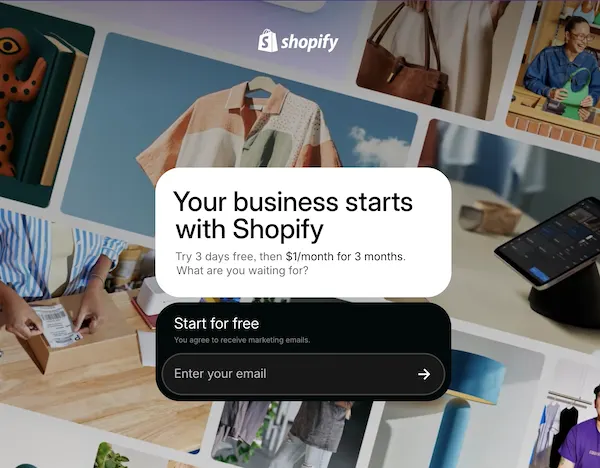
Use my Shopify deal that gives you a free trial, followed by $1 per month for your first three months. That’s more than enough time to build the store, set everything up, and decide whether this is worth continuing — without real financial risk.
Once you sign up, you’ll land inside the Shopify admin dashboard. This is the control center for everything: products, design, payments, shipping, and settings. You don’t need to understand all of it yet. You just need to start.
Step 2: Choose a Free Shopify Theme
If you’re learning how to start a Shopify store, there is zero reason to pay for a theme.
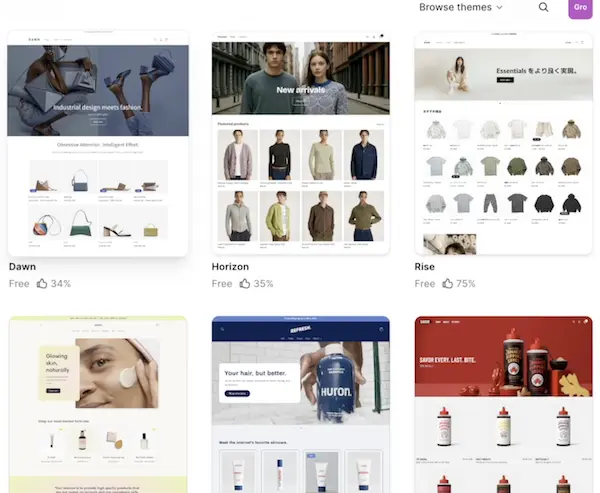
Inside the admin, go to Online Store → Themes → Visit Theme Store, then filter by free themes. Shopify’s free themes are fast, clean, and more than good enough to launch.
Dawn is a solid default. It’s minimal, flexible, and built by Shopify themselves. Install it, then click Customize to open the theme editor.
Paid themes don’t make beginners more money. Clear structure does.
Step 3: Design Your Shopify Store for Clarity, Not Perfection
Inside the theme customizer, you’ll see sections like the header, image banner, featured collections, and footer.
Your goal here is not design awards. It’s clarity.
Someone landing on your store should immediately understand:
- What you sell
- Who it’s for
- Why they should trust you
Don’t obsess over fonts, colors, or tiny spacing issues. A simple, readable layout beats a “beautiful” store that’s confusing.
This mindset alone will put you ahead of most people learning how to start a Shopify store.
Step 4: Add a Free Shipping Bar
In the theme customizer, enable the announcement bar at the top of the site.
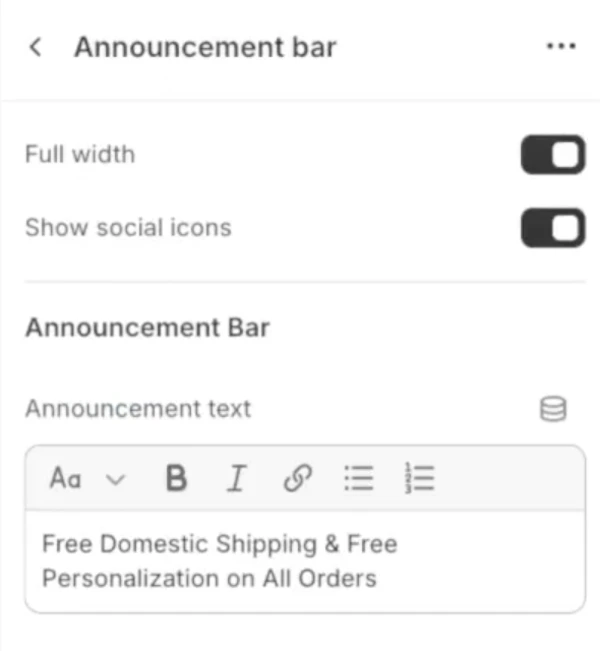
Use it to highlight a universal benefit like:
Free US Shipping
Free Domestic Shipping

Free shipping isn’t a bonus anymore. It’s expected. This tiny detail instantly makes your store feel more legitimate and removes friction before someone even looks at a product.
Step 5: Generate Your Shopify Policy Pages
When learning how to start a Shopify store, you want to be legit. Don’t be a fly-by-nighter. Every real Shopify store needs legal pages.
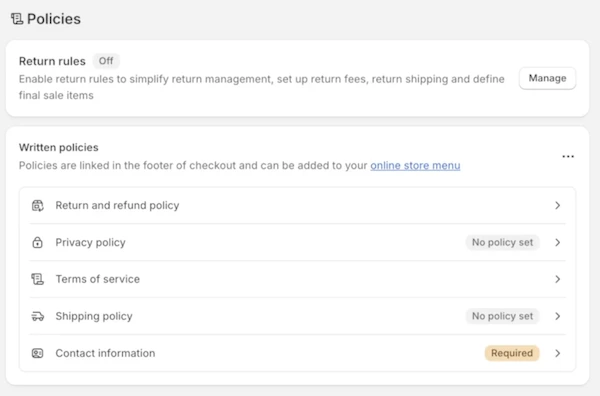
Go to Settings → Policies and auto-generate:
- Privacy Policy
- Terms of Service
- Shipping Policy
- Return Policy
Then go to Content → Menus and add these pages to your footer.
This step takes minutes and massively improves trust. Anyone learning how to start a Shopify store should do this early, not as an afterthought.
Step 6: Set Up Shopify Payments Before Anything Else
Before traffic, before products, before SEO, make sure you can get paid!
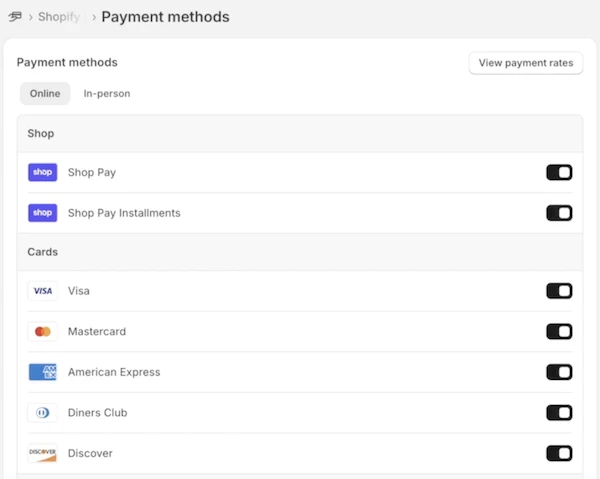
Go to Settings → Payments and activate Shopify Payments. Connect your bank account and complete verification so you can accept credit cards and standard payment methods.
If this isn’t done, nothing else matters.
How to Choose Products for Your Shopify Store
People don’t buy products because they’re interesting. They buy because the product solves a problem.
That problem doesn’t have to be life-changing. It can save time, reduce discomfort, improve convenience, or make something slightly better in daily life.

Focus on Evergreen Audiences
When learning how to start a Shopify store, focus on evergreen audiences:
- Pet owners
- Parents
- Homeowners
- Hobbyists
Product Traits
Good beginner products are:
- AOV (average order value) > $100
- Lightweight and compact
- Not fragile
- Not size-dependent (avoid clothing)
- Easy to understand
- Evergreen instead of trendy
- Avoid products easily found on Amazon or Walmart. Look for niche or custom-made products.
- Repeat Purchases: Look for products that encourage repeat orders reduce acquisition costs and increase long-term value.
Aim for an average order value of at least $100 so you have room for margins, shipping, and profit. Unique or hard-to-find products perform better than items people can grab at big box stores. Emotional appeal, repeat purchase potential, and year-round demand are all strong advantages.
Finding Suppliers for Your Shopify Store
To sell products, you need suppliers, and if you’re in the US, you should use suppliers that ship from inside the US.
Choose US-Based Suppliers
Long overseas shipping times, customs delays, tariffs, and surprise duties kill sales fast. The old ‘model’ of using AliExpress as your universal supplier was never a sustainable method and is not how I did it at all. I used US-side suppliers for 90% of my product line and grew my store to over $700K, while everyone I’ve seen foaming at the mouth about AliExpress barely made $100 doing it.
US-based suppliers simplify fulfillment so you can focus on marketing and sales, not damage control.
Domestic shipping means you don’t have to deal with all the bullsh*t that comes from shipping from China directly.
- Faster delivery
- No customs fees for customers
- Fewer chargebacks and refunds
- Fewer angry emails
This matters a lot when you’re just starting a Shopify store and don’t yet have brand trust.
Use US Supplier Marketplaces
Supplier marketplaces are one of the easiest ways to find US-based products across niches like home, pets, automotive, sports, and accessories.
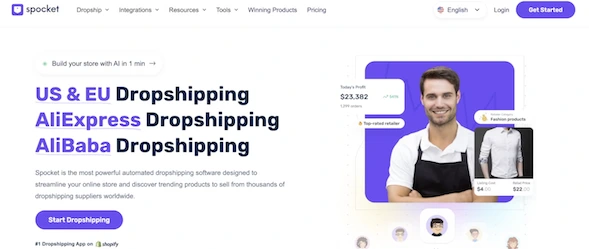
This stage isn’t just about picking a product. It’s about learning what exists in your niche and whether products meet your criteria for weight, margin, and pricing.
This is where real product research begins.
Creating Your Own Shopify Suppliers (Stealth Mode)
Another overlooked strategy is reaching out to existing sellers — especially on platforms like Etsy — who already ship from the US.
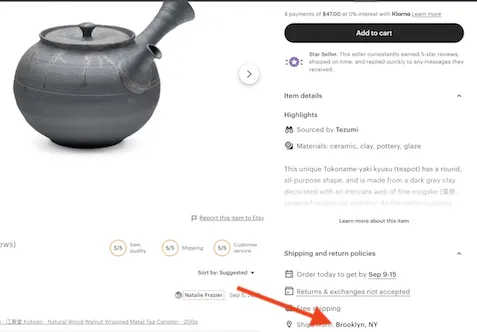
If a product fits your niche and price point, contact the seller and propose a wholesale or fulfillment relationship. They ship orders for you at a discounted rate.
Not everyone will respond, but some will. Many successful Shopify stores are built by turning small retailers into backend suppliers.
Searching for US Wholesalers Directly
You can also find suppliers by searching:
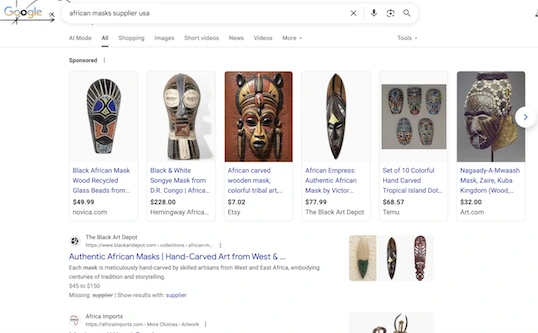
“[product] wholesaler”
“[product] distributor”
Focus on US-based companies. Expect an application process. Follow up instead of waiting passively.
This approach works in almost any niche if the products ship domestically and meet quality standards.
What to Confirm With Suppliers
Once you have a supplier you’re talking to, be sure to confirm shipping location, processing times, returns and your wholesale pricing. Avoid vague, slow or cryptic responders.
Don’t Stall on Your Shopify Store’s Name
You do not need a perfect name to start a Shopify store.
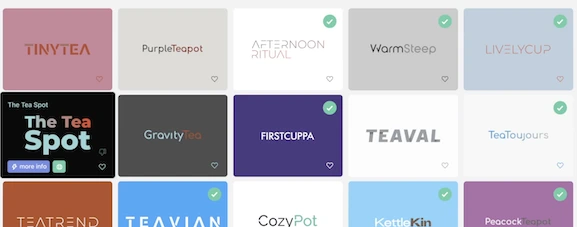
Shopify gives you a temporary domain so you can build first and name later. Most people stall here unnecessarily.
Your name just needs to be:
- Memorable
- Non-spammy
- Appropriate for the niche
You can change it later. Momentum matters more.
Buying and Connecting Your Domain
Once you choose a name, buy a domain from any reputable registrar and connect it inside Shopify.
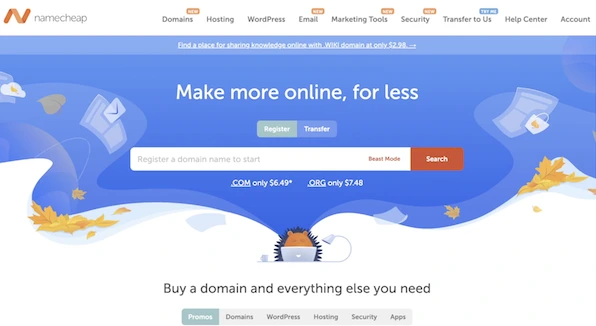
Replacing the default URL instantly makes your store look more established.
Making Your Shopify Store Look Trustworthy from Day One
Customers don’t know your store is new unless you give them a reason to suspect it. Clean design, clear branding, readable fonts, and consistency go a long way. Avoid clutter. Confused visitors don’t buy.
Your goal is a strong first impression, not complexity.
Traffic for Your Shopify Store: Paid vs Free
There are two ways to drive traffic when starting a Shopify store:
- Paid traffic (Facebook, TikTok, Google Ads)
- Free traffic (SEO, organic social)
Paid traffic costs money but is fast. SEO costs time but compounds long term. Organic social works, but it’s labor-intensive and inconsistent. Since I built my Shopify store with just SEO, I’ll be covering the SEO basics instead of paid ads, where you can learn from a gazillion different places.
Shopify SEO Basics
On-site SEO means optimizing what you control:
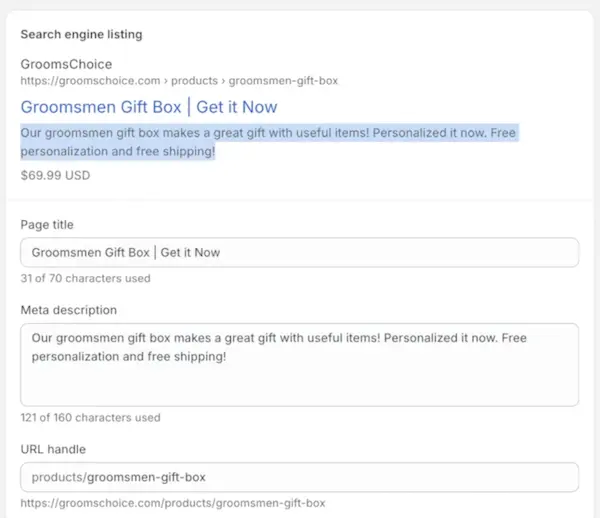
- Page titles
- Meta descriptions
- URLs
- Content
Keyword research comes first. Identify what people actually search for, then apply those terms naturally across your pages.
Each product needs a clear title, compelling meta description, and clean URL.
Writing Product Descriptions That Rank
Never copy supplier descriptions.
Rewrite everything. This lets you include keywords naturally, differentiate your store, and rank higher in search results.
Unique descriptions are critical if you want free traffic.
Google Search Console
Set up Google Search Console as soon as your store is live.
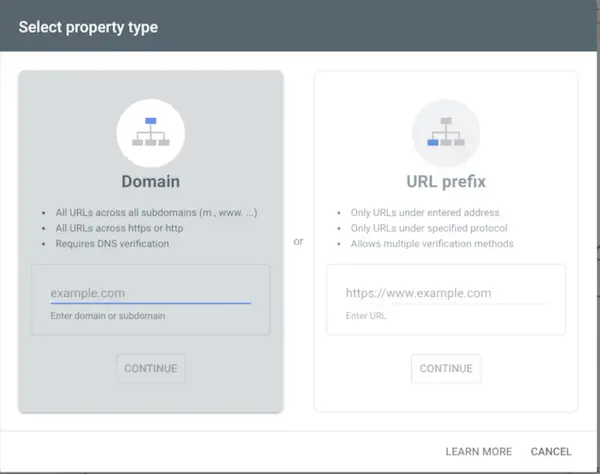
It shows you which keywords generate impressions, how your pages appear in search, and where traffic comes from. This data compounds over time and becomes incredibly valuable.
Off-Site SEO and Links
Off-site SEO is mainly about links.
Good links come from:
- Bloggers in your niche
- Product reviews
- Event features
- Collaborations
Links still matter. They drive traffic, improve rankings, and build authority. For one of my favorite link building strategies for Shopify store owners, check out my Shopify store example, where I show you exactly how I made over $700K without ads.
Building Long-Term Value
When done right, SEO doesn’t just generate traffic — it builds an asset.
That’s the difference between a Shopify store that survives only on ads and one that compounds value over time.
This is how you start a Shopify store that actually lasts and that you can even go on to sell to a buyer once it has a track record of sales.
So don’t waste time. Just start. The people who succeed are the same people who didn’t slow down the moment there as a question in their head or a bit of confusion. You just need to start and understand that a lot of what you’ll need to know will be a combination of what you can learn from me and my content, other content online and just DOING IT.
Start Your Shopify Store Now
Don’t stall. The best Shopify stores are built by people who start before they’re perfect. Sign up, launch, and iterate. Momentum beats hesitation. By following these steps, you’ll know exactly how to start a Shopify store, have a functional store live, and be ready to earn without unnecessary distractions or wasted money.